
Key Takeaways
- Explore diverse design trends to find those that resonate with your target audience.
- Utilize resources that showcase innovative UI examples for inspiration.
- Incorporate user feedback to refine and improve your app’s interface.
Table of Contents
- Understanding Current UI Trends
- Exploring Design Inspiration Platforms
- Incorporating User Feedback
- Implementing Responsive Design
- Prioritizing Accessibility
- Utilizing Prototyping Tools
- Staying Updated with Design News
- Conclusion
Creating a visually engaging and efficient mobile app is crucial as users have endless choices at their fingertips. Modern mobile app UI design goes beyond aesthetics, focusing on functionality, intuitiveness, and inclusivity. Drawing insights from a spectrum of successful designs can elevate your app’s experience above the competition.
App success is built on understanding user needs, staying up to date with cutting-edge trends, and learning from other thoughtfully crafted interfaces. By leveraging resources that aggregate innovative designs, you can gather inspiration while keeping your project’s goals and your users’ expectations in focus.
Understanding Current UI Trends
Staying up to date with the latest UI trends is key to building apps that feel relevant and engaging. Popular trends such as Neumorphism and Glassmorphism provide fresh perspectives for developers and designers striving to create distinctive user experiences. Neumorphism, for example, merges the realism of skeuomorphism with the clarity of flat design, resulting in tactile and depth-rich interfaces that audiences appreciate. Meanwhile, Glassmorphism emphasizes layered transparency and vivid backgrounds, producing striking visual effects admired in modern app portfolios. For a comprehensive overview of ongoing trends and their impact, Smashing Magazine’s trend analysis delivers practical examples and explanations.
Exploring Design Inspiration Platforms
Dedicated platforms for UI inspiration let you browse a range of successful app designs, helping you discover new color schemes, structural layouts, and animation ideas. Sites like Muzli and Mobbin curate standout mobile interfaces and present a broad array of designs categorized by industry or app type. Exploring diverse use cases on websites like these can trigger creativity, reveal user-tested layouts, and help inform your approach, whether you lean toward minimalism or bold color palettes.
Incorporating User Feedback
Collecting and integrating user feedback is essential for a user-centered design process. Feedback tools, including interactive surveys and user analytics software, provide qualitative and quantitative data about how real people use and perceive your app. By understanding what users love and where they face friction, you can iterate and refine features to remove pain points and enhance satisfaction. Collaborative tools, such as LikeThis!, make it easier for teams to address issues and test new ideas directly with the user community. Read more about effective feedback methodologies from respected community forums.
Implementing Responsive Design
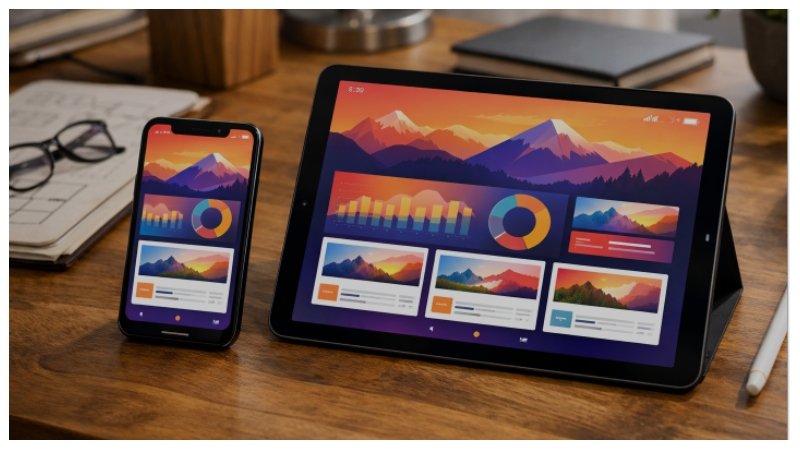
With an ever-growing variety of smartphones and tablets, responsive design is vital. Responsive apps use flexible grids, scalable images, and adaptable layouts to ensure consistent experiences across screen sizes. This technique preserves visual coherence and usability whether users are on a compact device or a larger tablet. Modern frameworks and libraries provide robust solutions for building responsiveness into your workflows.
Prioritizing Accessibility
Accessibility ensures your app caters to everyone, including users with visual, auditory, or mobility impairments. Introducing voice command capabilities, supporting screen reader navigation, and offering color-contrast toggles can help your app reach a much broader demographic. Voice User Interfaces (VUIs), for instance, are increasingly common, enabling hands-free interactions for those who cannot easily use touchscreens. For deeper guidance on accessible design, Wired’s accessibility coverage is highly recommended.
Utilizing Prototyping Tools
Before investing in full development, prototyping tools like Fluid UI and Figma allow you to visualize, share, and test interactive mockups. These platforms support rapid experimentation, user testing, and feedback collection, all within a collaborative workflow. Leveraging prototyping shortens the feedback loop, reduces costly rework, and fosters innovation within multidisciplinary teams.
In addition to prototyping, wireframing is an essential step that complements the early design process. Wireframes establish a structural layout that guides the subsequent stages of UI development, ensuring functional organization and logical flow. Professional tools such as Balsamiq and Adobe XD enable teams to share blueprints early, highlight key interactions, and gain stakeholder approval before deepening the visual design or interactivity.
Interactive prototyping also encourages designers to test microinteractions, such as button feedback, loading animations, or onboarding cues, helping polish the user experience beyond static visuals. Regularly involving users and stakeholders in these review cycles helps pinpoint subtle usability improvements that can significantly affect satisfaction and retention.
Staying Updated with Design News
Staying educated about industry standards is as important as designing the app itself. Aggregator apps, such as Design News: Graphic & Digital, collect the latest articles, tutorials, and podcasts, ensuring you never miss shifts in technology or shifts in user preferences. Regularly absorbing design thought leadership can inspire new directions and help you anticipate trends before they become mainstream.
Design meetups, webinars, and online workshops are valuable ways to join real-time discussions around mobile app UI. Participating in webinars or virtual conferences gives you the chance to witness live walkthroughs of case studies, hear from design leaders, and ask questions directly to experts. Communities like Designer Hangout or UX Mastery foster ongoing learning and offer peer support for resolving design challenges.
Conclusion
The journey to an outstanding mobile app UI begins with inspiration and is shaped by research, prototyping, and real-world feedback. Harnessing the lessons from established trends, robust design platforms, and continuous user engagement enables developers and designers to craft memorable, effective mobile experiences. By remaining flexible and fostering a mindset of ongoing learning, your app can thrive in today’s competitive landscape. Click here for more information.
Ultimately, mobile app UI design is an iterative process fueled by curiosity and empathy for your users. By routinely gathering inspiration, testing with real people, and keeping your skills up to date, you’ll not only create more functional and beautiful apps but also build experiences that drive loyalty and delight among your target audience.